
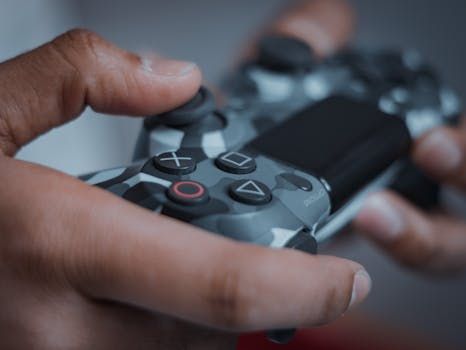
Understanding Controller Latency in Modern Gaming Setups
Controller latency is a critical factor affecting gaming performance and user experience. It refers to the delay between an input command and the corresponding action appearing on the screen.
High latency can disrupt gameplay fluidity, making fast-paced or competitive games particularly challenging. Therefore, minimizing this delay is essential for gamers seeking precision and responsiveness.
Common Causes of Latency in Gaming Controllers
Latency can arise from multiple sources, including wireless signal interference, hardware processing time, and data transmission protocols. Each element in the input chain contributes to the overall delay experienced by the user.
Wired connections traditionally offer lower latency compared to wireless options because they bypass many transmission variables. However, the type of USB interface used by wired peripherals also plays a significant role in determining latency.
Evolution of USB Standards and Their Role in Peripheral Performance
USB standards have progressively advanced, enhancing data transfer speeds and power delivery capabilities. From USB 2.0’s widespread adoption to the introduction of USB 3.x and now USB4, each generation brought improvements suitable for various peripheral requirements.
USB4 is the latest iteration, designed to unify and accelerate data transfer while supporting multiple protocols via a single connection. Its adoption in peripherals raises questions about how it affects input latency, especially for gaming controllers.
Key Features of USB4 Relevant to Gaming Controllers
USB4 supports transfer speeds up to 40 Gbps, doubling the maximum throughput of USB 3.2 Gen 2×2. This dramatically reduces data bottlenecks when transmitting high volumes of information.
Additionally, USB4 integrates DisplayPort and PCIe data protocols, enabling more efficient communication pathways and resource sharing. These enhancements potentially contribute to reducing latency in connected devices.
Investigating USB4 Peripherals’ Influence on Controller Latency
To analyze whether USB4 peripherals lower controller latency, it is essential to compare their performance against previous USB standards. Factors such as polling rate, data packet processing, and cable quality must be considered.
While USB4’s higher bandwidth seems promising, controller latency depends more on how quickly the device processes and transmits input data rather than raw data speed alone. Therefore, the impact of USB4 on latency needs detailed scrutiny.
Latency Comparison Table: USB Standards and Controller Response Times
| USB Standard | Max Data Rate | Typical Controller Latency | Polling Rate |
|---|---|---|---|
| USB 2.0 | 480 Mbps | 1-2 ms | 125 Hz |
| USB 3.0 / 3.1 | 5-10 Gbps | 0.5-1 ms | 250-500 Hz |
| USB 3.2 Gen 2×2 | 20 Gbps | 0.3-0.7 ms | 500-1000 Hz |
| USB4 | 40 Gbps | 0.2-0.5 ms | 1000+ Hz |
The table illustrates a general trend where higher USB standards correlate with lower typical controller latency and increased polling rates. USB4 peripherals demonstrate the fastest response times and highest polling frequencies.
However, real-world latency gains also depend on controller firmware optimization and host system capabilities. Simply using a USB4 interface does not guarantee the absolute lowest latency without compatible hardware and software.
Factors Limiting Latency Improvements with USB4
Despite USB4’s superior technical specifications, diminishing returns occur when other system components become bottlenecks. For example, the controller’s internal processing and the operating system’s input handling impose minimum latency thresholds.
Moreover, not all USB4 peripherals currently leverage full bandwidth or polling rate potential. Many existing controllers remain designed around older USB specifications, limiting the benefits of a USB4 connection.
Practical Considerations When Choosing USB4 Peripherals for Controllers
Gamers and tech enthusiasts should evaluate USB4 peripherals based on more than just data transfer rates. Compatibility, cable quality, and the controller’s internal electronics significantly influence latency outcomes.
Additionally, the host device’s USB controller chipset and driver support affect how effectively USB4 peripherals perform. Integrated hardware acceleration and efficient polling algorithms are key contributors to latency reduction.
How to Maximize Controller Responsiveness with USB4 Devices
Select controllers explicitly designed to support high polling rates matching USB4 capabilities. These devices typically advertise 1000 Hz or higher polling frequencies, decreasing input lag perceptibly.
Ensure the USB4 cable and port used meet the standard’s specifications to avoid signal degradation. Using certified cables and maintaining firmware updates on both controller and host system also bolster performance.
Testing and Benchmarking Tools for Latency Measurement
Employ latency testing software to quantify input lag differences between USB standards. Tools such as LatencyMon, USBlyzer, or gaming-specific input lag analyzers provide useful insights for informed decision-making.
Conduct tests in controlled environments to isolate variables and obtain consistent latency metrics. Comparative testing between USB3 and USB4 peripherals can highlight practical latency advantages.
Future Developments and USB4’s Role in Gaming Peripheral Evolution
USB4’s technology foundation is poised to support next-generation gaming devices with enhanced responsiveness and multi-functionality. As more manufacturers integrate USB4 fully, controller latency is expected to decline further.
Emerging standards like USB4 Version 2.0 promise even higher bandwidth and smarter protocols, potentially pushing latency boundaries lower. Consequently, USB4 peripherals represent a significant step forward in gaming input technology.
Integration of USB4 with Wireless and Hybrid Controller Solutions
USB4 may also improve latency in hybrid controllers employing both wired and wireless connectivity. Faster data channels can minimize fallback delays when switching transmission modes.
Furthermore, USB4 supports power delivery advancements, enabling controllers with integrated haptic feedback and lighting to operate without compromising input speed. This holistic upgrade enhances immersive gaming experiences.
